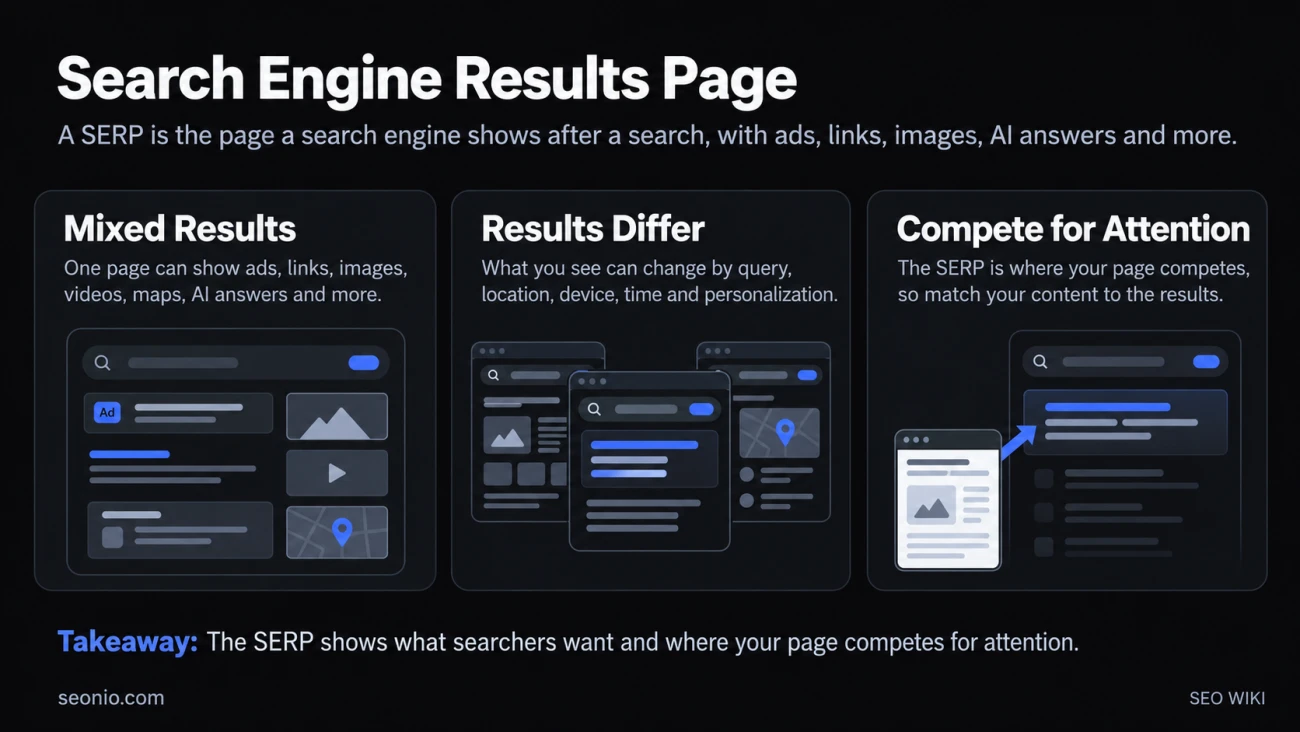
A search engine results page, or SERP, is the page you get back after you search. For years it was mostly a list of blue links. Today one page can mix ads, regular results, images, videos, maps, questions and an AI-written summary, and the mix changes with every query.
For anyone working on a site, the SERP is where your page competes for attention. Knowing its parts tells you what you can win and what's out of your hands.
What you'll find on a Google results page
Google calls the building blocks of its results page "visual elements". These are the ones you'll meet most often:
| Part | What it is |
|---|---|
| Ads | Paid results labeled "Sponsored". The top ads usually sit above the first organic result; more can appear at the bottom. See search engine advertising. |
| Text results | The classic result: the site's name and icon, the page's address, a title link and a short snippet. Some have sitelinks underneath. |
| Rich results | Results with extras such as review stars or recipe details, usually from structured data on the page. |
| Image and video results | More likely when the search asks for pictures or videos. |
| AI Overviews | An AI-written summary with links to sources, shown only when Google thinks it adds something. AI Mode is a separate, conversational view. |
| People also ask | Questions related to the search. Opening one shows an answer taken from a page, like a featured snippet. |
| Related searches | Other searches people made, which lead to new results pages. |
| Local results | A map and nearby businesses, for searches with a place in mind. See local pack. |
Google adds that how these elements look changes over time and depends on your device, country and language. Google Search Central
Why your results look different from someone else's
Two people typing the same words often see different pages. Google gives these reasons:
- The query itself. A search for "bicycle repair shops" brings local results; a search with "pictures" in it brings images.
- Context. Location, language and device change what's shown. The same search in Paris and in Hong Kong gives different shops.
- Time. New pages are added soon after they're published, and ranking updates reach Google's data centers at different times.
- Personalization. If you're signed in with Personalized Recommendations on, Google may reorder some results or blocks based on your search history.
To see a page without personalization, use the "Try without" link in the footer of the results page. The footer also shows the location Google used. Google Search Help
This is why checking your own rankings in your own browser misleads. For a fair picture, look at results for the country and language you target, signed out, or use a rank tracker that searches from there.
What the SERP means for your pages
Look at the results for a keyword before you write for it. What Google shows is its best guess at what searchers want. If the top results are product pages, a long article will struggle; if they're guides, a product page will. That's search intent made visible.
Then focus on the parts you can influence:
- Your title link and snippet. Google builds the snippet mainly from your page content and sometimes uses your meta description, so write both with the searcher in mind.
- Rich results, through structured data that matches what's visible on the page.
- Image and video results, through good images and video on the page.
- AI Overviews and AI Mode. Google says there's nothing special to add: a page needs to be indexed and eligible to show with a snippet.
People also ask and related searches aren't yours to control, but they're a free list of the questions your page could answer.
Expect fewer clicks where the page itself answers the question. An AI Overview or a featured snippet can satisfy a searcher before they reach any link, which is called a zero-click search.
How to see where you appear
Google Search Console shows the searches where your site appeared, with impressions, clicks and average position. Position 1 is the topmost result. An impression counts when your link is on the page of results the person loaded, even if they didn't scroll to it; inside a carousel, the item has to be scrolled into view.