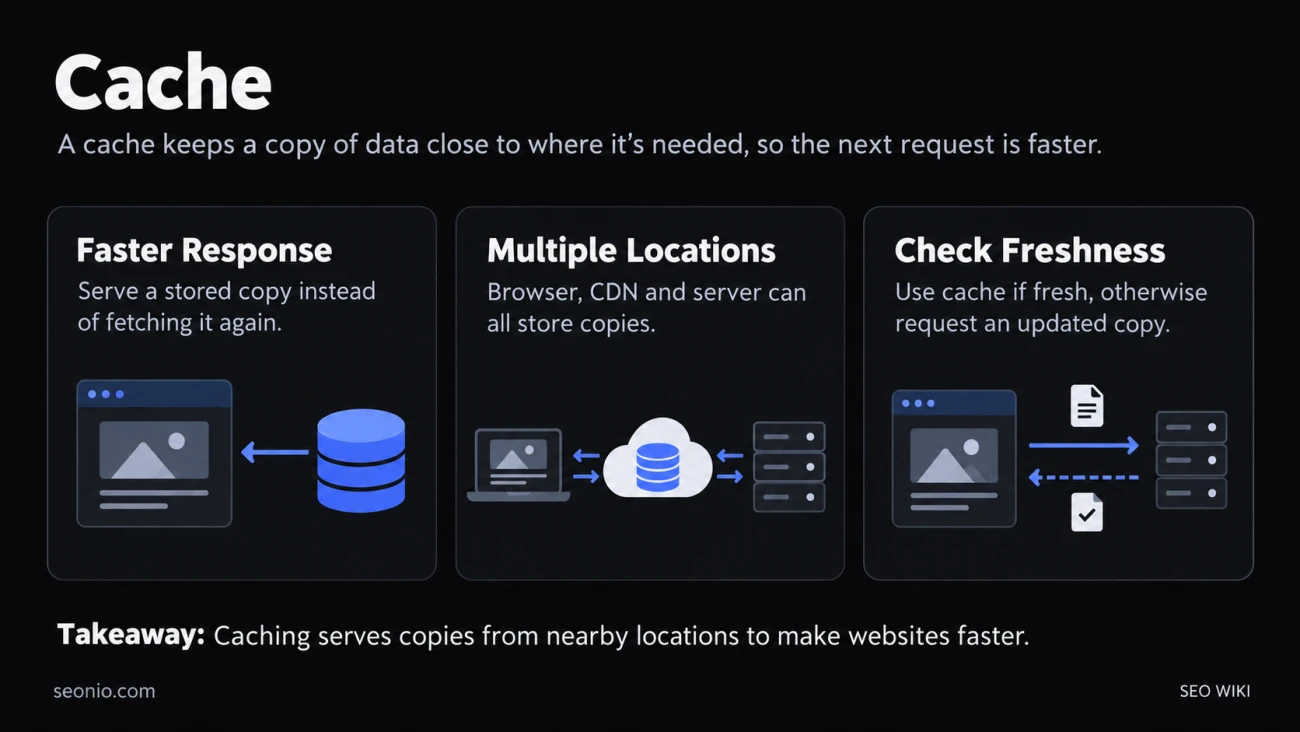
In computing, a cache is a store of copies. When a program needs data, it checks the cache first. If the copy is there (a cache hit), it uses it at once. If not (a cache miss), it fetches the data from the original source, often called the origin or backing store, and usually keeps a copy for next time.
Caches work because the same data gets requested again and again. Reading a copy from memory or from a nearby server is much faster than rebuilding a page from a database or fetching it from across the world.
Where a website gets cached
A single page view can pass through several caches between your server and the visitor's screen:
| Cache | Where it sits | What it keeps |
|---|---|---|
| Browser cache | On the visitor's device | Files that visitor already downloaded: images, CSS, JavaScript, sometimes the HTML |
| CDN or reverse proxy | Servers between visitors and your site | Copies served to many visitors, often from a server near each of them |
| Proxy cache | A company or ISP network | Shared copies, outside your control |
| Server-side cache | On or next to your web server | Database query results, rendered pages, API responses |
The first is a private cache: it serves one person, so it may hold personal content. The CDN and proxy caches are shared caches: whatever they store, they can hand to the next visitor. That difference is why pages with account details must never land in a shared cache.
A content delivery network only caches what your headers allow. Google's web.dev guide notes that edge servers close to visitors can serve cached content, provided it's configured with suitable Cache-Control headers. web.dev
How browsers and CDNs decide what to reuse
Every stored HTTP response is either fresh or stale. A fresh copy can be reused without asking the server. A stale one has passed its lifetime.
Your server sets that lifetime with the Cache-Control header. If it sends none, browsers and CDNs may still cache the response and guess a lifetime themselves, which is called heuristic caching. That's why it pays to set the header on purpose for every kind of file.
A stale copy isn't thrown away. The browser asks the server whether it has changed, sending the copy's ETag or Last-Modified date. If nothing changed, the server answers 304 Not Modified with no body, and the browser reuses its copy. That check costs one quick round trip instead of a full download.
Why caching matters for SEO
Speed. Cached files make repeat visits and later pages faster, and a cached HTML page can cut the wait for the first byte. Both feed into load time and the Core Web Vitals that Google measures.
Crawling. Google's crawlers use the same conditional requests as browsers. They support ETag with If-None-Match and Last-Modified with If-Modified-Since. Google recommends ETag as the less error-prone of the two, and setting both if you can. When the page hasn't changed, return a 304 with no body: your server does less work and transfers less data. Google says only 0.017% of its fetches were cacheable in 2024, down from 0.026% ten years earlier, a sign that few sites set this up. Google Search Central
For large sites whose pages rarely change, that support can help Google crawl the site more efficiently.
When visitors see old content
A cache that serves a page after you've changed it is doing exactly what it was told. The fixes depend on where the old copy sits:
- On your CDN. Purge it from the CDN's dashboard or API. A managed cache like this can be cleared at any time.
- In visitors' browsers. You can't reach in and delete it. The
Clear-Site-Data: cacheheader clears a browser's cache for your site when that browser next gets a response with it, but it has no effect on CDNs or proxies. - In proxies you don't control. A response stored there with a long lifetime stays until it expires. There's no way to delete it.
The way around all three is to plan for change. Give files that never change a long lifetime and a new file name for each version, such as app.3f9a.css. Tell caches to check back before reusing pages that change often, like your HTML. A new URL is never in anyone's cache, so the update shows at once.
One more trap: caching can hide a slow server. Your site feels fast while pages come from the cache, and slow again on every miss. Test your server's own response time with caches bypassed.
Google's cached pages are gone
Google once let searchers see its stored copy of a page, through a "Cached" link in results and the cache: operator. Both are gone. Google's documentation log records on 24 September 2024 that it removed the cache: operator's documentation because the operator no longer works, and on 2 October 2024 that the cached link feature is no longer available in Google Search results. Google Search Central
To see how Google sees one of your pages now, use the URL Inspection tool in Search Console. To see an old version of any page, try the Wayback Machine.