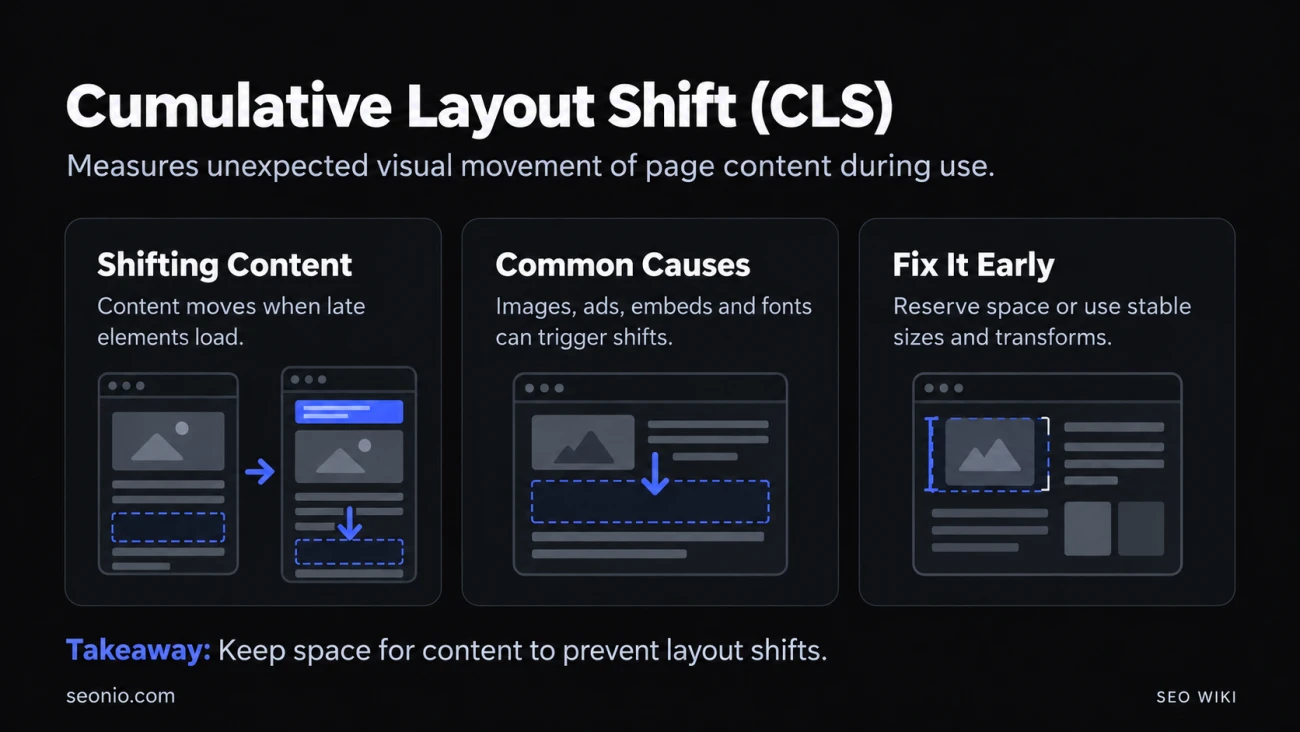
Cumulative Layout Shift (CLS) is one of Google's Core Web Vitals. It measures visual stability: how much visible content moves on its own while someone is using the page.
You've felt it. You reach for a link, an ad loads above it, the link drops down and you tap the ad instead. Or you're reading and the paragraph jumps away because an image finished loading. CLS turns those jumps into one number.
What counts as a good CLS score
CLS has no unit. Lower is better:
| CLS | Rating |
|---|---|
| 0.1 or less | Good |
| Over 0.1, up to 0.25 | Needs improvement |
| Over 0.25 | Poor |
Google's target is a score of 0.1 or less for at least 75% of page loads, counted separately for mobile and desktop (web.dev).
How CLS is scored
A layout shift happens when a visible element changes its position from one frame to the next. Each shift gets a score:
layout shift score = impact fraction × distance fraction
- The impact fraction is how much of the viewport the moving element covers, counting the area before and after the move.
- The distance fraction is how far it moved, divided by the viewport's larger side (usually the height on a phone).
Say an element fills the top half of a phone screen and a late banner pushes it down by a quarter of the screen. Before and after, it touches 75% of the viewport, and it moved 25%. Its score is 0.75 × 0.25 = 0.1875: one shift like that already rates as "needs improvement".
Shifts are then grouped into session windows: shifts less than 1 second apart belong to the same window, and a window lasts at most 5 seconds. Your CLS is the total of the worst window. Google announced this change in April 2021; before that, CLS added up every shift for as long as the page was open, which punished pages people kept open for a long time.
Some movement doesn't count:
- Shifts right after input. Shifts within 500 milliseconds of a tap, click or key press are expected, so they're left out. Scrolling doesn't count as input.
- Animations with
transform. Moving an element withtransform: translate()orscale()doesn't shift the layout. - Back and forward. When a page is restored from the browser's back/forward cache, its CLS starts again from zero.
What causes layout shifts, and how to fix them
| Cause | Fix |
|---|---|
| Images and videos without a size | Add width and height attributes, or set the space with CSS aspect-ratio |
| Ads, embeds and iframes | Reserve their space with min-height or aspect-ratio; keep the space when no ad fills it |
| Content injected above what's already there, such as banners and notices | Reserve space in advance, place it lower on the page, or show it only after a user action |
| Web fonts that swap in with different sizes | Use font-display: optional, a fallback font sized to match with size-adjust, and preload key fonts |
Animating top, left, width or height |
Animate with transform instead |
| Pages that can't use the back/forward cache | Make the page eligible, so returning visitors see the restored page without new shifts |
How to measure CLS
Measure what real visitors experience first. That's the score Google uses:
- Field data from real Chrome users: PageSpeed Insights, the Core Web Vitals report in Google Search Console, and the
web-vitalsJavaScript library on your own pages. - Lab tests to find the cause: Lighthouse, the Performance panel in Chrome DevTools (its Layout shifts track and "Layout shift culprits" insight), and WebPageTest.
Lab tools load a page once without scrolling or tapping, so they often report a lower CLS than real visitors get. If PageSpeed Insights shows a good lab score but a poor field score, the shifts probably happen after the page has loaded, while people scroll or interact. DevTools' live metrics let you watch CLS while you click around.
Does CLS affect rankings?
Google says its ranking systems use Core Web Vitals. It also says it shows the most relevant content even when page experience is weaker, and that good scores don't guarantee top rankings. Fix CLS because it stops people tapping the wrong thing and losing their place, and treat any ranking effect as a bonus.
CLS sits beside Largest Contentful Paint for loading and Interaction to Next Paint for responsiveness.