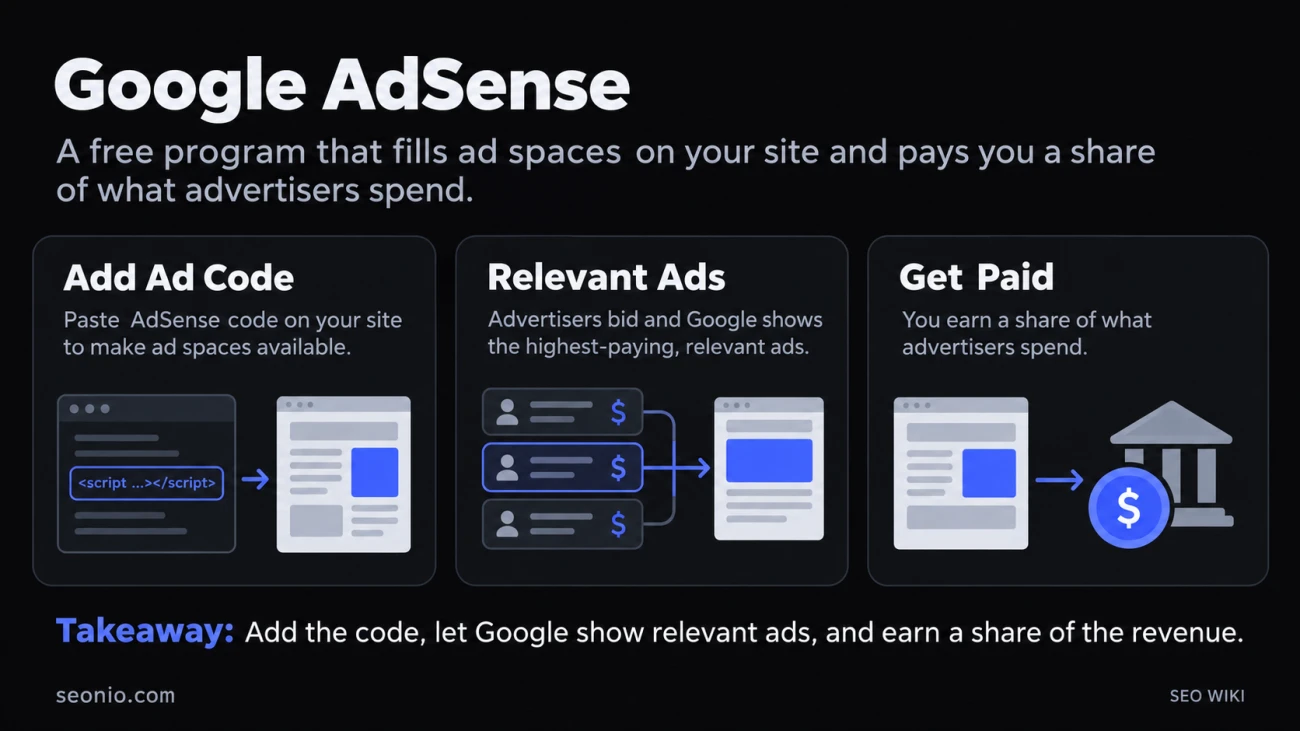
Google AdSense is Google's program for publishers: people who run websites and want to earn money from ads. You add a piece of code to your pages, Google fills the ad spaces with ads from advertisers, and it pays you a share of what those advertisers spend. Joining is free.
AdSense is the other side of Google Ads. Advertisers buy space in Google Ads; publishers sell space through AdSense. Google sits in the middle, picks the ads, bills the advertisers and pays the publishers.
How AdSense works
- You make ad spaces available by pasting the AdSense code on your site and choosing where ads may appear.
- Advertisers bid in a real-time auction for each ad space, and the highest-paying ads show.
- Google pays you for the ads shown on your site.
You don't choose individual ads. AdSense picks them automatically to match your content or your visitors. You can review ads that have appeared on your pages and block the ones you don't want. AdSense Help
Who can join
To use AdSense on your own site, you need: AdSense Help
- Your own content, original and good enough to attract an audience, that follows the AdSense program policies
- Access to your site's HTML source, so you can add the code
- To be 18 or over. If you're younger, a parent or guardian can apply with their own account and receives the payments.
Google reviews your site before ads can run. Blogger users and YouTube creators sign up through Blogger and YouTube Studio instead.
How much you earn
Your earnings depend on how many people see your pages, where they are, what your pages are about and how much advertisers bid for that audience. There's no fixed rate per visitor.
For ads on your website (AdSense for content), you receive 80% of the revenue after the advertiser's platform takes its fee. When the advertiser buys through Google Ads, that works out to about 68% of what the advertiser pays. AdSense Help For these ads, AdSense now pays per impression, as an effective cost per mille (eCPM), rather than per click.
You're paid once your balance reaches the payment threshold: $100 for accounts reporting in US dollars, with set amounts in other currencies. Before that, Google asks you to verify your identity and address, and to add tax information if your country requires it.
Putting ads on your pages
You can place ads two ways:
- Auto ads. You paste one piece of code on every page and choose settings; Google decides where and how many ads to show. A preview and an experiment option let you test first.
- Manual ad units. You create individual units and put each one exactly where you want it.
Also add an ads.txt file to your site. It's a public list of the companies allowed to sell your ad space, an IAB Tech Lab standard. Google doesn't require it but highly recommends it, because it helps advertisers avoid counterfeit inventory.
Rules that get accounts closed
AdSense policies protect advertisers from paying for fake interest. Breaking them can mean ads stop showing, payments are withheld or the account is closed. The rules people trip over most: AdSense policies
- Never click your own ads, and don't use any method to inflate clicks or impressions. Google treats this, along with repeated and accidental clicks, as invalid traffic; see click fraud.
- Don't ask for clicks. No "click the ads", "support us" or arrows pointing at ads.
- Don't disguise ads. Ads must not look like menus, navigation or download buttons.
- Put ads only on real content pages. Not in pop-ups or emails, and not on pages made just to show ads.
AdSense and SEO
Ads change how a page feels to use, and that matters for search. Google's page experience checklist asks whether your content avoids an excessive amount of ads that distract from or interfere with the main content, and whether you avoid intrusive interstitials. Google Search Central
In practice:
- Keep the main content first and easy to tell apart from the ads.
- Reserve space for ad slots so the page doesn't jump when ads load, which hurts cumulative layout shift.
- Watch your Core Web Vitals after adding or changing ads.
- Build pages for readers, not for ad slots. Pages made only to show ads break AdSense policy, and thin content gives searchers little reason to choose your page.