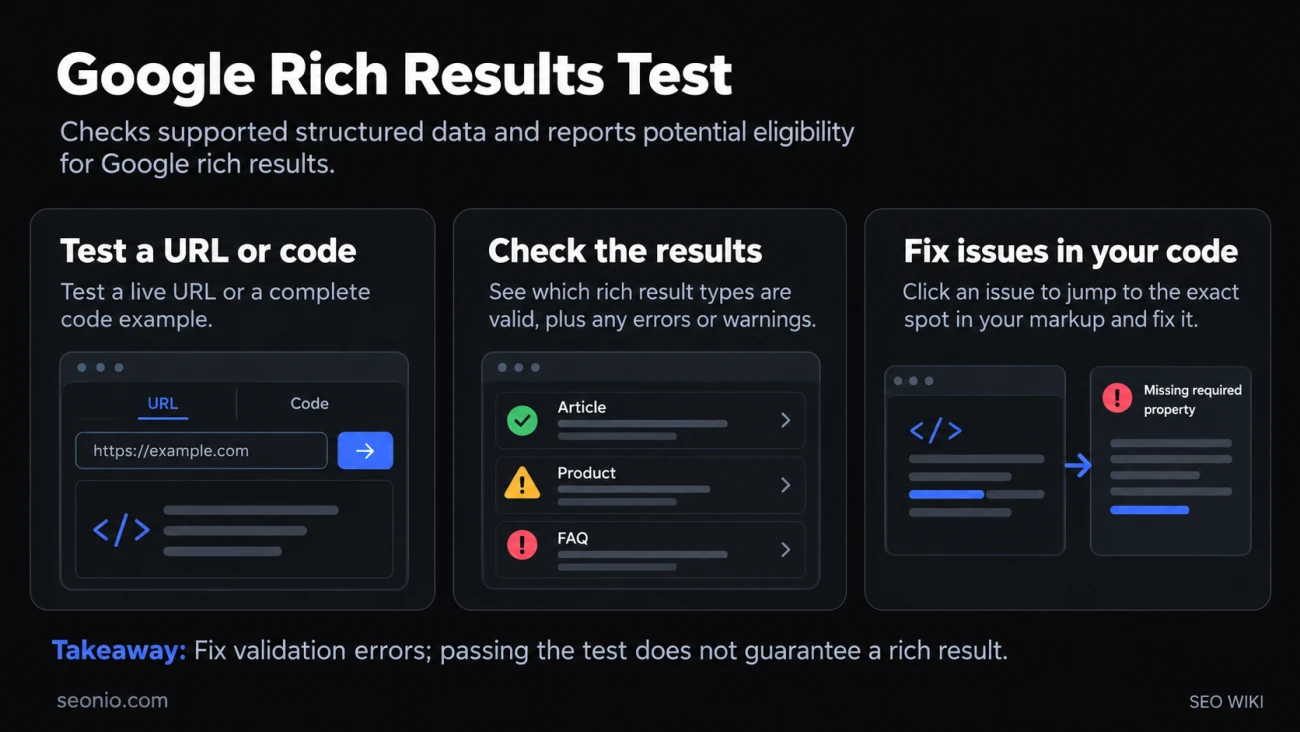
Rich results are the enhanced listings in Google Search: product prices and ratings, recipe cards, event dates, breadcrumbs. Google builds them from structured data on the page, and the Rich Results Test is its free tool for reading that markup. You give it a URL or a piece of code, and it reports which rich result types it found, whether each one is valid, and what to fix.
Use it to answer one question: can this page get a rich result in Google? It checks your markup against Google's own requirements, not against the whole schema.org vocabulary.
How to run the test
Open the Rich Results Test at search.google.com/test/rich-results and choose how to test:
- URL: enter the full address of a live page. Google fetches it as an anonymous visitor, so the page and its resources must be publicly reachable. Pages behind a login or firewall, or on your own computer, can't be tested this way unless you expose them through a tunnel.
- Code: paste a snippet of JSON-LD or a page's full HTML. This is the way to test markup before it goes live. You can edit the code in the tool and run the test again as often as you like.
The test uses a smartphone user agent by default, because most people browse on phones. You can switch to desktop below the input box. The tool reads structured data in JSON-LD, RDFa and Microdata.
Reading the results
The headline tells you the outcome, for example "2 valid items detected", "1 valid item with warnings detected" or "Structured data with syntax errors detected".
Below it, each detected rich result type is listed separately. Expand one to see its issues:
- Errors are critical issues: they stop that item from appearing as a rich result. Fix them first. A typical one is a missing required property.
- Warnings are non-critical issues, usually missing recommended properties. The item stays valid and eligible, but adding the information can make the result more complete.
Click an issue to jump to the exact spot in the code. The tool shows the rendered page, so markup added by JavaScript is included.
For some types, Preview result shows how the listing might look on mobile and desktop. Treat it as a sketch: Google doesn't promise to show it that way, or at all.
When the test can't check the page
If Google may not crawl the page, the test stops. A Disallow rule in robots.txt or a noindex rule both block it. The test runs as Google-InspectionTool, so check that robots.txt doesn't block that crawler or Googlebot.
Other common failures are DNS errors, an invalid SSL certificate, a server that refuses the connection, or a DNS record that points to a private IP address such as 10.0.0.1. If images, scripts or CSS files can't be loaded, you get a warning, and results may differ between runs.
When a syntax error stops the parser before it can tell the type, you get a section called "Syntax errors in items of unknown type". The usual causes are invalid JSON, a missing comma, colon or brace, or the same unique property defined twice, such as two @context values.
One trap: the test ignores comments inside JSON-LD, but the JSON-LD standard doesn't allow them. Remove comments before you publish (Search Console Help).
A valid result doesn't guarantee a rich result
A pass means the page is eligible, nothing more. Google decides for each search whether to show a rich result, based on things like the searcher's location and history. Markup that breaks Google's structured data guidelines, for example by describing content that isn't visible on the page, can even lead to a manual action that removes the page's eligibility.
The test also only knows the rich result types Google currently supports. Google retires features from time to time, and markup for a retired type simply stops producing a rich result:
- FAQ rich results no longer appear in Google Search since May 7, 2026 (Google Search Central).
- How-to rich results stopped showing in September 2023.
If a type you use is missing from the test's list of supported types, check Google's search gallery before spending more time on that markup.
The Rich Results Test and other testing tools
| You want to | Use |
|---|---|
| Check whether a page can get a Google rich result | Rich Results Test |
| Validate any schema.org markup, including types Google doesn't use | Schema Markup Validator (validator.schema.org) |
| Check whether Google found the markup on the indexed version of a page | URL Inspection in Search Console |
| Watch for errors across your whole site after launch | The rich result reports in Google Search Console |
The Schema Markup Validator replaced Google's old Structured Data Testing Tool. Google recommends the Rich Results Test during development and the Search Console reports afterwards, because templates and server changes can break markup on pages that once passed.
Saving and sharing a test
Use the Share button to send a result to a developer or client; anyone with the link can open it without permissions. Shared links and saved test history last about 90 days, so copy anything you need to keep longer.