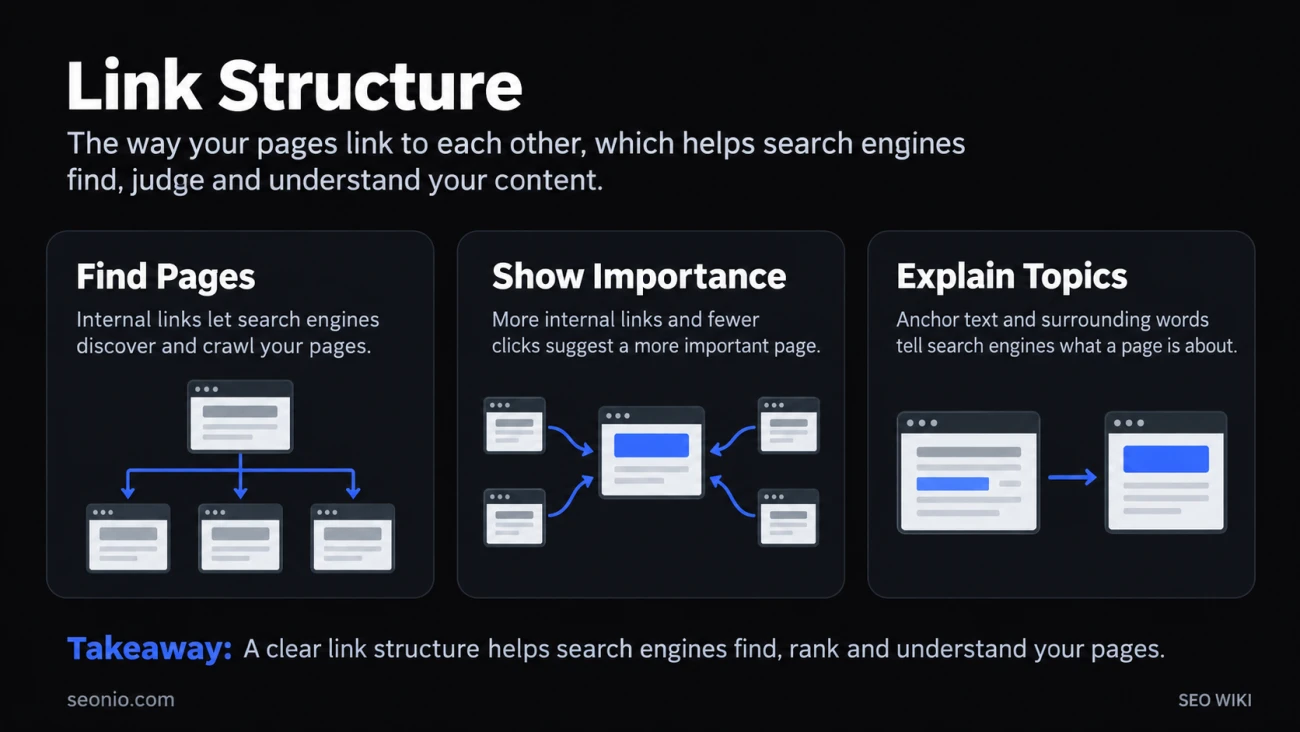
Link structure is the pattern of links between the pages of one website: the main menu, category pages, breadcrumbs, links inside the text, and links in the footer. Together they decide how a visitor, or a search engine crawler, can get from any page to any other.
It's easy to confuse with URL structure, which is about what your addresses look like (/shoes/running/). Link structure is about which pages link to which. The two often follow the same plan, but search engines read them differently. Links from other sites to yours are a separate topic; see backlink.
What search engines learn from your links
Google uses your internal links for three things.
Finding pages. Google finds pages mainly by following links from pages it has already crawled. A page no other page links to, an orphan page, can easily go unnoticed. Googlebot also doesn't type into search boxes, so products reachable only through your site search may never be found. Google Search Central
Judging importance. Google looks at how many links point to a page within your site and how many clicks it takes to reach it. More links and fewer clicks suggest a more important page. Google says it generally doesn't use the structure of your URLs to work this out; it uses the links.
Understanding topics. The anchor text of a link, and the words around it, tell people and Google what the linked page is about.
The same paths serve visitors. A structure that gets a crawler to your key pages in a couple of steps also gets a customer there.
Common shapes
- A hierarchy. The home page links to categories, categories link to subcategories, and those link to every item. This is the layout Google describes for online shops, and it suits most sites with many similar pages.
- Topic hubs. An overview page links to detailed pages on a topic, and those pages link back to it and to each other. It works well for guides and blogs, and supports topical authority.
- Cross-links in the text. Links inside paragraphs connect related pages across sections, where a reader needs them.
- Navigation aids. Breadcrumbs and footer links give every page a way back up the hierarchy.
Most sites combine all four.
How to build a good link structure
- Link every page you care about from at least one other page. Link new pages from relevant existing pages the day you publish them.
- Use real links. Google can generally crawl only
<a>elements with anhref. Links added with JavaScript work if they use that markup; click handlers on other elements don't. Google Search Central - Keep your most important pages close to the home page, and link to them from your most visited pages.
- Write descriptive, concise anchor text. Say what the target page is; don't cram in keywords or chain several links next to each other.
- Link as much as helps the reader. Google says there's no ideal number of links per page.
- Back up with a sitemap for pages you can't easily link, such as very large catalogs. A sitemap helps discovery but doesn't replace links.
Link structure vs URL structure
| Link structure | URL structure | |
|---|---|---|
| What it is | Which pages link to which | How each address is written |
| Example | Home → Running shoes → Model X | example.com/shoes/running/model-x |
| What Google reads from it | Discovery, relative importance, topic of the target | Mostly a readable, stable address; directories can help Google crawl large sites |
| Main tools | Menus, categories, in-text links, breadcrumbs | Folders, slugs, parameters |
How to check your link structure
- Search Console's Links report lists the pages most linked from within your own site. If your key pages aren't near the top, they're probably under-linked. The report shows a sample, not every link.
- A site crawler maps every internal link, shows how many clicks each page sits from the home page, and finds orphan pages when you compare its list with your sitemap.
For a deeper look at the planning side, see site architecture and internal links. Steering ranking value with nofollow, an old tactic, is covered under link sculpting.