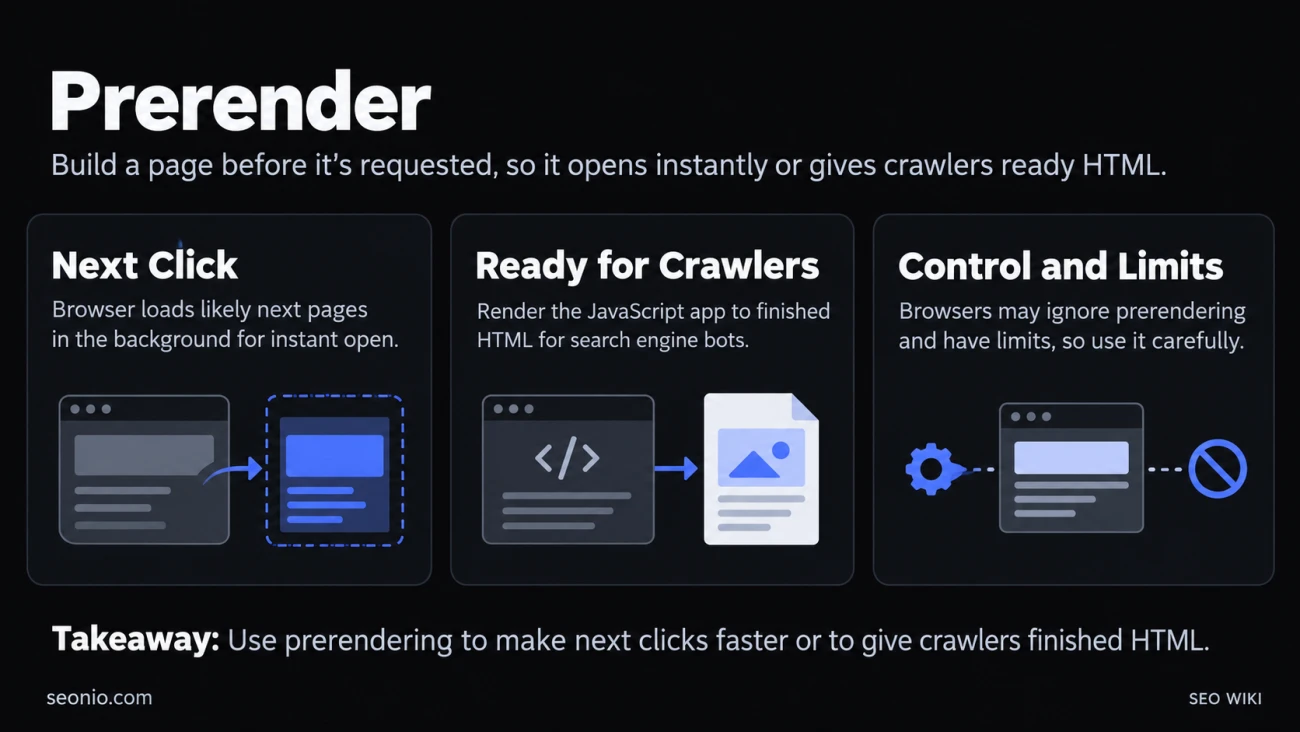
A page is prerendered when it has been fetched, its scripts run and its layout finished before anyone has asked for it. Two quite different techniques go by that name on the web, and they solve different problems:
| You're thinking of | Where it happens | What it's for |
|---|---|---|
| Browser prerendering | In the visitor's browser | Making the next click open instantly |
| Prerendering for crawlers | On your build machine or server | Giving search engines finished HTML instead of a JavaScript app |
Browser prerendering: the next page, already loaded
In browser prerendering, the browser loads a page you're likely to open next in an invisible background tab. It downloads the page, runs its JavaScript and lays it out. When you click the link, the browser swaps that hidden tab in, and the page appears almost instantly.
Chrome prerenders in four situations (Chrome for Developers):
- You type in the address bar and Chrome is confident which URL you want, based on your history.
- You hold the pointer over a button on the bookmarks bar.
- You type a search and the search engine asks Chrome to prerender the results page.
- A website tells Chrome which pages to prerender, using the Speculation Rules API.
How a site asks for prerendering
Speculation rules are a block of JSON in a script tag. This rule prerenders any same-site link when the visitor holds the pointer over it for 200 milliseconds, or presses down on it:
<script type="speculationrules">
{
  "prerender": [{
    "where": { "href_matches": "/*" },
    "eagerness": "moderate"
  }]
}
</script>
The eagerness setting decides how soon the browser acts:
immediate: as soon as the browser sees the ruleeager: on a very short hover on desktop, or soon after a link enters the screen on mobilemoderate: on a 200-millisecond hover on desktopconservative: only when the visitor presses down on the link
The old way, <link rel="prerender">, is deprecated and non-standard. In Chrome it now only fetches the page's files without rendering it, so use speculation rules instead.
What it costs and where it stops
Prerendering uses the visitor's bandwidth, memory and battery for pages they may never open. Chrome caps it: at most 10 prerenders from immediate rules, and 2 at a time for the other settings, where a new one replaces the oldest. It skips prerendering when the visitor has Save-Data or Energy saver on, when memory is low, or when the "Preload pages" setting is off. Treat it as a hint the browser may ignore.
Three more limits matter in practice:
- Speculation rules work in Chromium-based browsers such as Chrome and Edge. Other browsers ignore them, so the page simply loads normally there.
- By default, only pages on the same origin are prerendered.
- They work for full page loads. Route changes inside a single-page app can't be prerendered.
Keep analytics and side effects honest
A prerendered page runs its scripts before anyone sees it, so a page view could be counted for a visit that never happens. Google Analytics waits until the page is actually shown, but check any other analytics, ad or chat script you load. In JavaScript, document.prerendering is true while the page is hidden, and the prerenderingchange event fires when the visitor opens it.
Your server can spot these requests too. Prerender requests carry the header Sec-Purpose: prefetch;prerender. If a page must never be prerendered, such as a logout link or an add-to-cart URL, leave it out of your rules or answer with an error status; a response outside the 200 range stops the prerender.
What it does for Core Web Vitals
Chrome measures Core Web Vitals from the moment the visitor opens the page, not from when the prerender started. A fully prerendered page therefore often records a Largest Contentful Paint close to zero. That's real speed for your visitors on their next click, not a trick: it only helps pages people actually open.
Prerendering for crawlers: HTML instead of an empty shell
Many sites built with React, Vue or Angular send the browser a nearly empty HTML page and build the content with JavaScript. Prerendering here means running that app ahead of time and saving the result as plain HTML, so a crawler gets the content without running any scripts.
There are two ways to do it:
- At build time. Your build tool renders each URL once and saves an HTML file, which you then serve to everyone. Google's web.dev team calls this prerendering and treats it as one of the rendering options for JavaScript apps.
- On request, for bots only. A server detects crawlers by their user agent, loads the page in a headless browser and sends them the finished HTML, while people get the normal JavaScript version. Google calls this dynamic rendering. Prerender services sell this setup.
What Google says about it
Googlebot renders JavaScript itself, with an up-to-date version of Chromium, though pages can wait in a rendering queue first. Google still says server-side rendering or prerendering is a good idea, because it makes pages faster and not every bot runs JavaScript (Google Search Central).
The bots-only version is different. Google describes dynamic rendering as a workaround, not a long-term or recommended solution, because it adds complexity and cost. It recommends server-side rendering, static rendering or hydration instead (Google Search Central).
Dynamic rendering isn't cloaking as long as bots and people get similar content. Serving bots a different page than people see is cloaking.
If you prerender for crawlers
- Prefer one version for everyone (build-time prerendering or server-side rendering) over a separate bot version.
- Make the HTML match what people see: the same text, links, titles and structured data.
- Refresh the saved HTML when the content changes, or crawlers index stale prices and text.
- Return real status codes. A page that doesn't exist should answer 404, not a 200 page that says "not found."
- Test it: turn off JavaScript in your browser, or use the URL Inspection tool in Google Search Console to see the HTML Google rendered.