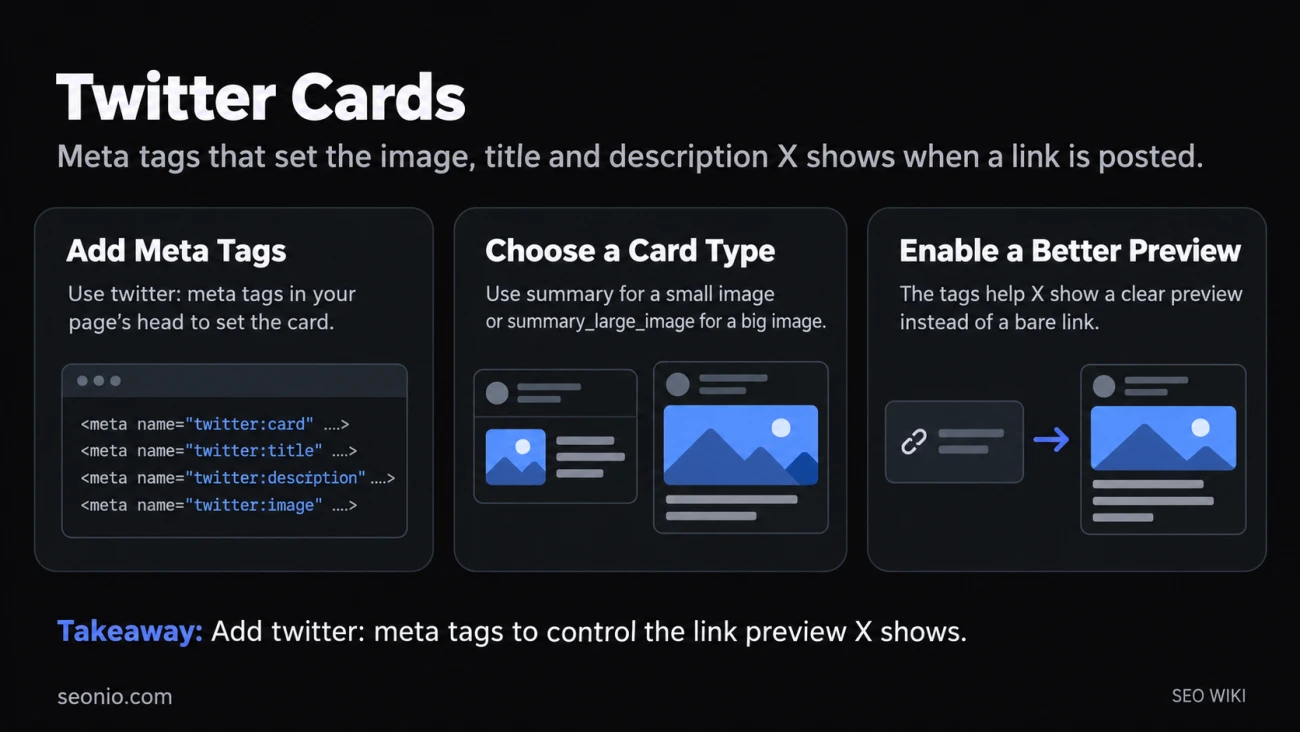
Post a link on X (formerly Twitter) and, if the page is set up for it, the post shows a preview instead of a bare URL: an image, a headline, sometimes a short description and the site's name. X's crawler, Twitterbot, builds that preview from a handful of <meta> tags in the page's <head>. Those tags are the Twitter card. Without them, X has to guess, and the post may show nothing but the link.
The platform's name changed, but the tags didn't: they still start with twitter:.
Do you need them if you have Open Graph tags?
Mostly not. X checks for its own tag first and falls back to the matching Open Graph tag when it's missing: og:title for twitter:title, og:description for twitter:description, og:image for twitter:image. So a page with good Open Graph tags needs just one extra line to choose the card type:
<meta name="twitter:card" content="summary_large_image">
Without twitter:card, X may still show a small summary card if og:type, og:title and og:description exist. Add the twitter: versions only when you want X to show different text or a different image than other networks.
The four card types
| Card | What it shows | Use it for |
|---|---|---|
summary |
A small square image next to the title | Pages without a strong image, or where a logo-sized picture is enough |
summary_large_image |
A full-width image above or with the title | Articles, product pages, anything with a good picture |
app |
App name, icon and a download link | Posts that promote a mobile app |
player |
Playable video or audio | Media you host yourself; X must approve it |
For most websites the choice is between summary and summary_large_image. X's developer policy limits App Cards to posts that actually promote or refer to the app.
The tags and their limits
X's tag reference gives these limits (X card markup, archived):
| Tag | What it holds | Limit |
|---|---|---|
twitter:card |
The card type | One of the four values above |
twitter:title |
The headline | 70 characters |
twitter:description |
A short summary | 200 characters |
twitter:image |
Full URL of the image | Under 5 MB; JPG, PNG, WEBP or GIF (first frame only); no SVG |
twitter:image:alt |
Alt text for the image | 420 characters |
twitter:site |
The site's @username | Optional |
twitter:creator |
The author's @username | Optional |
Image sizes depend on the card. A summary_large_image image works at a 2:1 ratio, from 300 x 157 up to 4096 x 4096 pixels. A summary image is cropped to a square, at least 144 x 144 pixels. X asks for an image specific to the page, not your logo on every page.
Don't count on the description being read. For the large-image card, X's documentation says the apps for iOS and Android don't show it, and the web version cuts the title to one line. Put the point of the page in the title and the image.
Here's a full example for an article:
<meta name="twitter:card" content="summary_large_image">
<meta name="twitter:site" content="@yourbrand">
<meta name="twitter:title" content="How to choose trail running shoes">
<meta name="twitter:description" content="Fit, grip and drop explained, with five shoes we'd buy.">
<meta name="twitter:image" content="https://www.example.com/images/trail-shoes-1200x600.jpg">
<meta name="twitter:image:alt" content="Three pairs of trail running shoes on a muddy path">
Why a card doesn't show, or shows old content
- Twitterbot is blocked. X respects robots.txt. If the page is blocked, there's no card; if only the image is blocked, the card has no picture. Firewalls,
.htaccessrules and some hosts block the crawler too. - The image isn't public. Images behind a login or on a staging server can't be fetched. X's developer policy also asks for every card asset to be served over HTTPS.
- The image breaks the limits: 5 MB or larger, or an SVG file.
- X has cached the old version. X keeps card content for about seven days after a link is posted. Images are cached by URL, so to force a new image, give it a new URL, for example by adding
?v=2.
The simplest test is to paste the URL into a new post on X and look at the preview before publishing it.
Do Twitter cards help SEO?
Not directly. Google reads only the meta tags it supports and ignores the rest, and twitter: tags aren't on its list. Cards matter for what happens on X: a link with a clear image and headline is easier to notice and easier to understand before anyone clicks. Check yours along with your other meta tags whenever you change a page's title or main image.