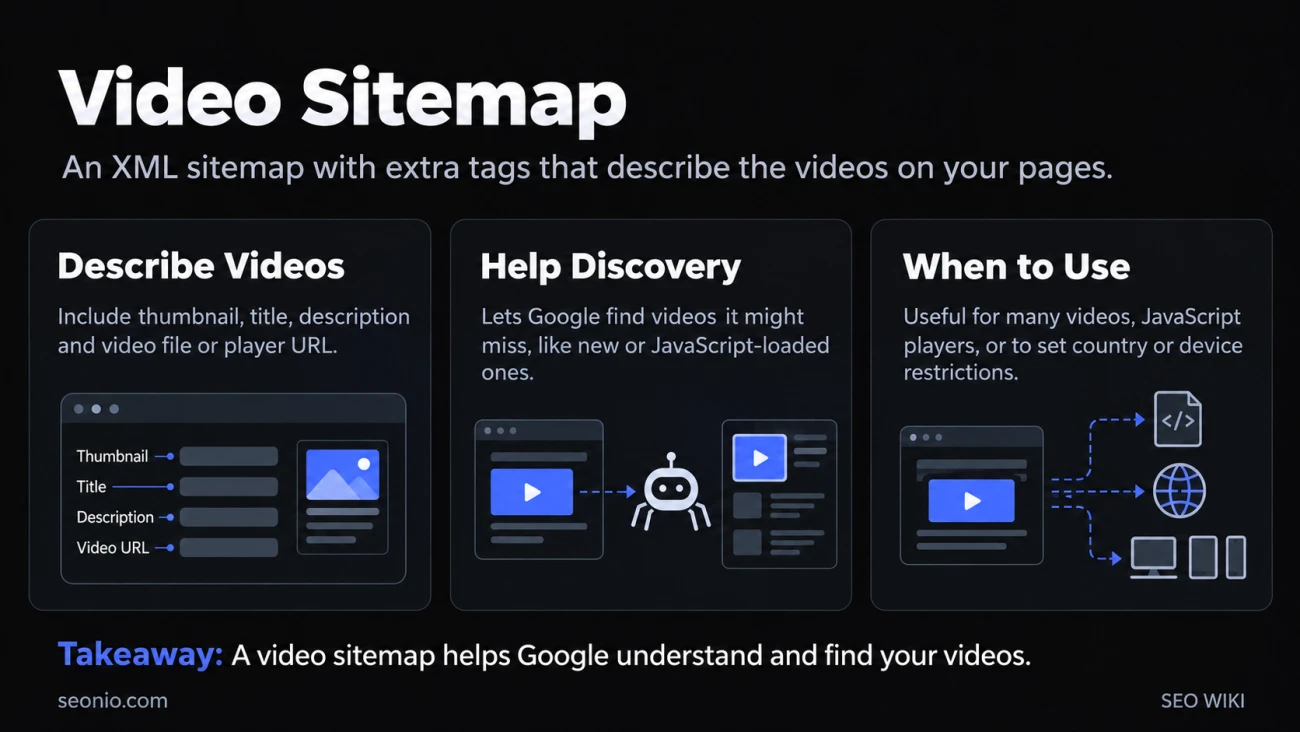
Each entry in a video sitemap names the page a video lives on, its thumbnail, its title and description, and where the video file or its player is. That tells Google about videos it might not find by crawling, such as ones you've just published or ones a script loads, and gives it details to show in results. The file itself is an ordinary XML sitemap with a video namespace added.
You can put the video tags in your normal sitemap or keep a separate sitemap just for videos. Google also accepts an mRSS feed, but it recommends video sitemaps.
Do you need one?
A video sitemap is one of three ways to describe your videos to Google, alongside VideoObject structured data and Open Graph tags. Google doesn't require all three. A sitemap is most useful when:
- you publish many videos and want Google to learn about new ones quickly,
- your player loads the video with JavaScript, so it may be missed in crawling, or
- you want to restrict a video to certain countries or devices in search results.
A sitemap doesn't make a video indexable on its own. The video still needs an indexed watch page and a thumbnail Google can fetch. See video SEO for those requirements.
An example
<?xml version="1.0" encoding="UTF-8"?>
<urlset xmlns="http://www.sitemaps.org/schemas/sitemap/0.9"
        xmlns:video="http://www.google.com/schemas/sitemap-video/1.1">
  <url>
    <loc>https://www.example.com/videos/grilling-steaks</loc>
    <video:video>
      <video:thumbnail_loc>https://www.example.com/thumbs/123.jpg</video:thumbnail_loc>
      <video:title>Grilling steaks for summer</video:title>
      <video:description>How to get a steak done the way you like it, every time.</video:description>
      <video:content_loc>https://cdn.example.com/video123.mp4</video:content_loc>
      <video:player_loc>https://www.example.com/player?video=123</video:player_loc>
      <video:duration>600</video:duration>
      <video:publication_date>2026-06-01T10:00:00+00:00</video:publication_date>
    </video:video>
  </url>
</urlset>
<loc> is the watch page, the page where people watch the video. If a page has several videos, add one <video:video> block for each inside the same <url>.
Required tags
| Tag | What it holds |
|---|---|
<video:thumbnail_loc> |
The thumbnail image URL |
<video:title> |
The video's title, ideally the same as on the page |
<video:description> |
Up to 2,048 characters, matching the description on the page (not necessarily word for word) |
<video:content_loc> or <video:player_loc> |
The video file, or a player for it. You need at least one |
Give <video:content_loc> whenever you host the file yourself: features such as video previews and key moments need Google to fetch the actual video, and this tag tells it where. It must point to a video file in a supported format, not to an HTML page or Flash, and not to the same URL as <loc>.
Use <video:player_loc> when you embed from YouTube, Vimeo or a similar platform. The value is the embed URL, for example https://www.youtube.com/embed/VIDEO_ID.
Escape HTML entities in titles and descriptions or wrap them in a CDATA block.
Optional tags
<video:duration>: length in seconds, from 1 to 28,800 (8 hours). If your video platform reports milliseconds, convert them.<video:expiration_date>: after this date, Google stops showing the video in video results. Leave it out if the video doesn't expire. A date set in the past by mistake hides a live video.<video:publication_date>: when the video was first published.<video:restriction relationship="allow">or"deny": a space-separated list of country codes where the video may or may not appear in results. It doesn't stop anyone playing the video elsewhere.<video:platform>: show or hide the video onweb,mobileortvresults.<video:family_friendly>:nomeans the video only appears with SafeSearch off.<video:requires_subscription>,<video:live>:yesorno.<video:uploader>: up to 255 characters, with an optionalinfoURL on the same domain as<loc>.<video:rating>(0.0 to 5.0),<video:view_count>, and up to 32<video:tag>elements.
Google has removed <video:category>, <video:gallery_loc>, <video:price>, <video:tvshow>, and the autoplay and allow_embed attributes from its documentation. Generators that still write them are out of date.
Rules Google applies
Google's video sitemap rules add a few requirements to the general sitemap ones:
- List only videos that belong to the page. Leave out a video that's a small extra or unrelated to the page's main content.
- Make every URL reachable by Googlebot. None may be blocked by robots.txt, need a login, or sit behind a firewall.
- Use HTTP or FTP. Streaming protocols aren't supported.
If you want to keep scrapers away from your file and player URLs, check that a visitor claiming to be Googlebot really is before serving them.
Size limits and submitting
A single sitemap file can hold up to 50,000 URLs or 50MB uncompressed. For more, split it into several files and list them in a sitemap index. Submit the sitemap or index in Google Search Console, or add a Sitemap: line to robots.txt.
Most sites with large libraries generate the sitemap from their CMS or video platform rather than by hand.
When videos still don't show
If Google has your sitemap but a video isn't appearing, check:
- The Sitemaps report in Search Console, for errors reading the file.
- The Video indexing report, which says why a video on an indexed page wasn't indexed.
- That the watch page itself is indexed, using URL Inspection.
- That the thumbnail and video URLs are stable and not blocked.
- That no expiration date has passed.