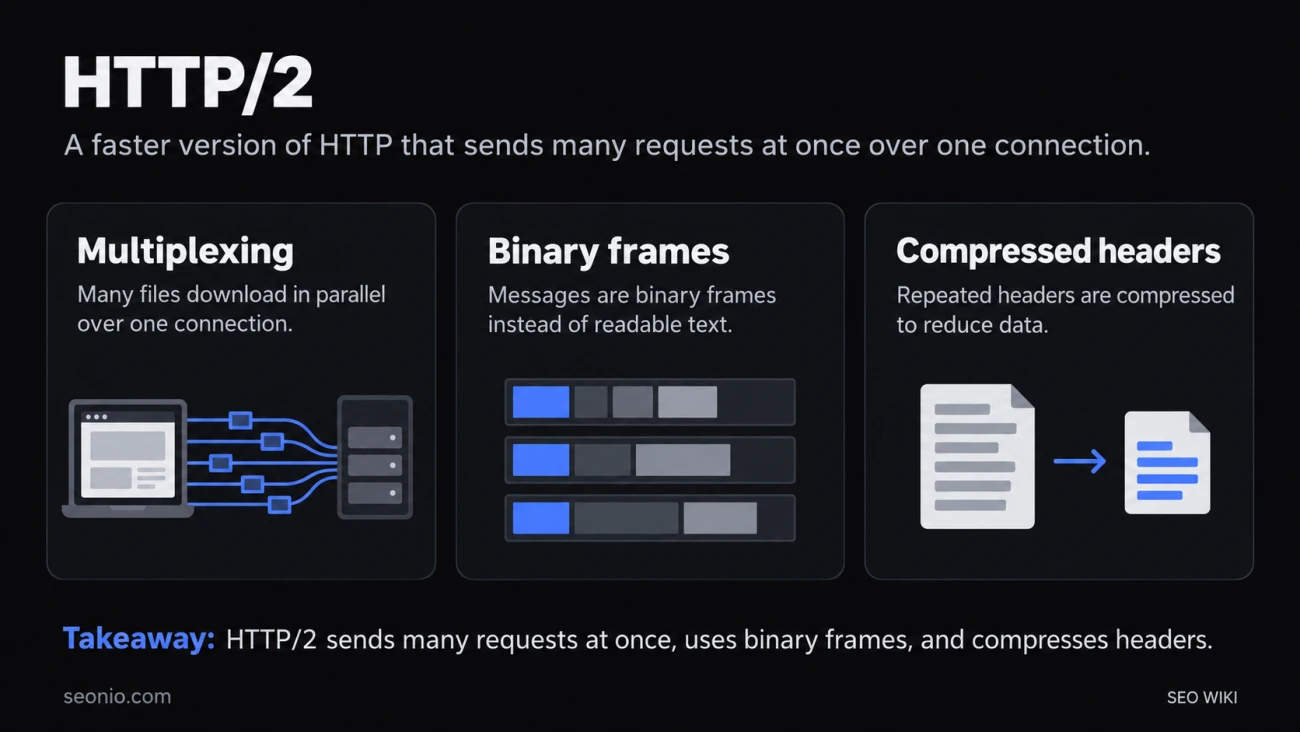
Standardized in 2015 and revised as RFC 9113 in 2022, HTTP/2 is the second major version of HTTP. It keeps everything HTTP means, the same methods, status codes, headers and URLs, and changes only how those messages travel between browser and server. So you can switch it on without touching your pages.
What HTTP/2 changes
Many requests on one connection. With HTTP/1.1, a connection carries one request and response at a time. To load a page faster, Chrome opens up to six connections per site and queues everything else. Chrome DevTools HTTP/2 splits each message into small frames and interleaves them, so dozens of files can download side by side over a single connection. This is called multiplexing.
Binary instead of text. HTTP/1.1 messages are lines of text you can read. HTTP/2 messages are binary frames, which software can split up and interleave. Browser tools still show them to you as readable headers.
Compressed headers. Requests to one site repeat the same headers again and again, such as cookies and the user agent. HTTP/2 compresses them, so they aren't resent in full every time.
Server push, now retired. HTTP/2 also let a server send files before the browser asked for them. It was hard to use well and rarely sped pages up. Chrome turned it off by default in version 106 in 2022, and most other browsers have dropped it too. Use a preload hint or a 103 Early Hints response instead.
What HTTP/2 doesn't fix
HTTP/2 still runs over one TCP connection. TCP delivers data in order, so when one packet is lost, every file on that connection waits until it's resent. On a patchy mobile connection that can cancel out much of the gain. HTTP/3 solves this by running on QUIC instead of TCP.
How to turn on HTTP/2
HTTP/2 is a setting in your web server, hosting or CDN, not in your HTML. Three things to know first:
- You need HTTPS. Browsers agree on HTTP/2 during the TLS handshake of an
https://connection. An unencrypted version exists on paper, but its upgrade method was never widely used and the 2022 standard deprecated it. RFC 9113 - Drop the old HTTP/1.1 workarounds over time. Spreading files across extra hostnames (domain sharding) was meant to get more parallel connections. With HTTP/2 it slows pages down. Bundling every script into one file and combining images into sprites are no longer needed for the same reason.
- Remove
ConnectionandKeep-Aliveheaders. They're forbidden in HTTP/2. Chrome and Firefox ignore them, but Safari refuses to load a response that contains them. If a page fails only in Safari after the switch, check your server or app for these headers.
Check whether a site uses HTTP/2
In Chrome's developer tools, open the Network tab, right-click a column header and add Protocol. Reload: HTTP/2 requests show h2.
From a terminal:
curl -sI --http2 https://www.example.com/
The first line reads HTTP/2 200 when the server speaks HTTP/2.
HTTP/2 and SEO
Googlebot started crawling some sites over HTTP/2 in November 2020. Today Google's crawlers use HTTP/1.1 by default and switch to HTTP/2 when it works better for a site. Google says HTTP/2 crawling can save resources on your server and theirs, but it gives no ranking boost. If it causes trouble, your server can answer Googlebot's HTTP/2 requests with a 421 status code to opt out. Google
The real gain is for visitors: pages with many files can load faster, which can help your Core Web Vitals. See HTTP for the protocol as a whole.