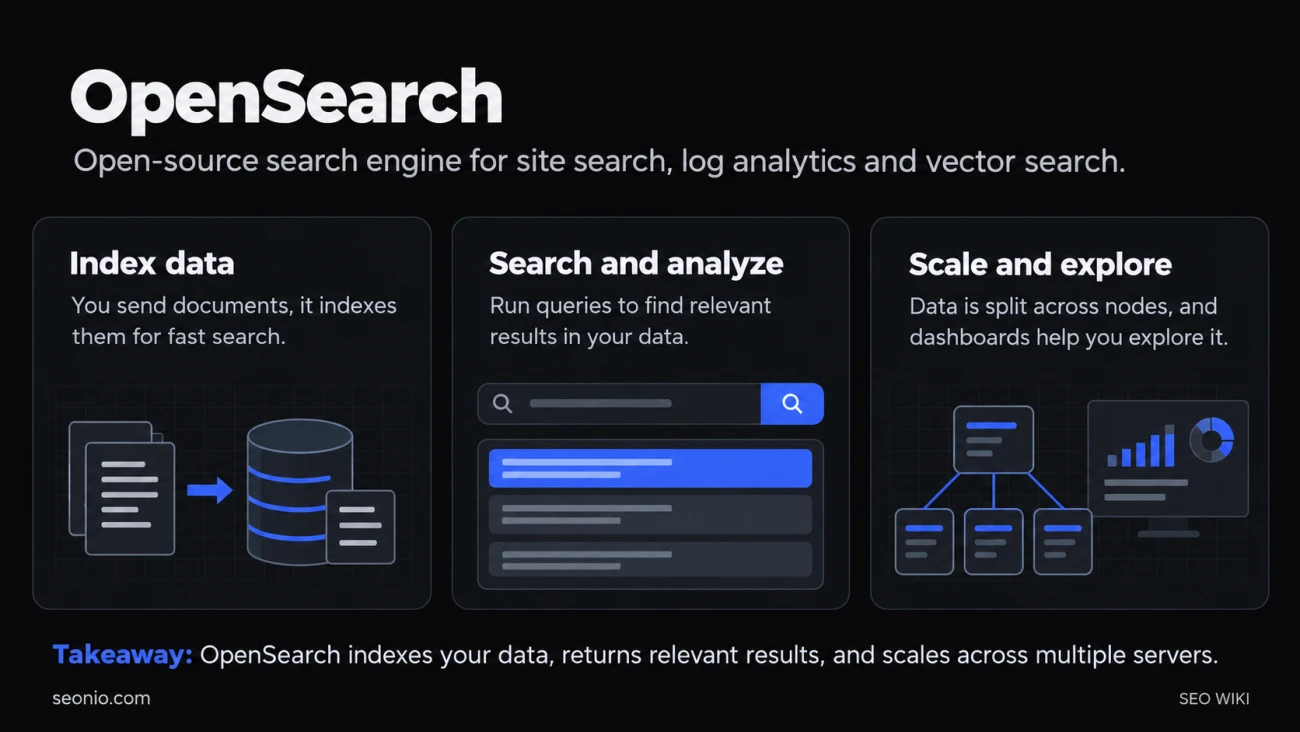
OpenSearch is software you run to make large amounts of data searchable. You send it documents, it indexes them, and it answers queries over them quickly, whether that's a product catalog, millions of log lines or a set of AI embeddings. It comes with OpenSearch Dashboards, a web interface for exploring the data and building charts.
The project started in 2021 as a fork of Elasticsearch and Kibana, and it's licensed under Apache 2.0. Since September 2024 it has been run by the OpenSearch Software Foundation under the Linux Foundation.
The name has a second, older meaning on the web: a small XML format that lets a website add its own search to the browser's address bar. That one is covered at the end.
What people use OpenSearch for
Three jobs cover most uses:
- Search on a website or in an app. Product search, help-center search, document search: full-text search with filters, ranked by relevance. See site search for what makes that work for visitors.
- Log analytics and observability. Servers and applications ship their logs, metrics and traces into OpenSearch; teams search them, chart them in Dashboards and set alerts.
- Vector search. OpenSearch can store embeddings and find the nearest ones, so it can serve as a vector database for semantic search or as the retrieval step in retrieval-augmented generation.
How OpenSearch works
A few ideas explain most of it, based on the OpenSearch documentation:
- Documents and indexes. Each record is a JSON document, and related documents live in an index, much as rows live in a database table.
- The inverted index. When you add a document, OpenSearch runs its text through an analyzer (by default it lowercases words, among other steps) and records which words occur in which documents. A search then looks up the query's words instead of scanning every document.
- Relevance. Matching documents are scored with BM25, which rewards documents that use the query's words often and favors rare words over common ones, then returned best first.
- Shards and nodes. An index is split into shards spread across the servers (nodes) of a cluster, with replica copies on other nodes. That's how OpenSearch scales past one machine and survives a failed server. Each shard is a full index of Apache Lucene, the search library underneath.
You talk to OpenSearch through a REST API: send JSON over HTTP to add documents or run a query, and get JSON back.
OpenSearch vs Elasticsearch
The two share a codebase up to 2021 and then split:
- Elastic moved Elasticsearch and Kibana from the Apache 2.0 license to its own Elastic License and the SSPL, which aren't open-source licenses.
- On April 12, 2021, AWS announced OpenSearch, a fork of the last Apache-licensed version, Elasticsearch 7.10.2 (AWS). OpenSearch 1.0 was ready for production in July 2021.
- In August 2024, Elastic added the open-source AGPL as a third license option for Elasticsearch, next to its two earlier ones.
- In September 2024, AWS handed OpenSearch to the new OpenSearch Software Foundation at the Linux Foundation.
At the fork, OpenSearch kept the Elasticsearch 7.10 REST APIs and could read Elasticsearch indexes from version 6.0 to 7.10. Since then each project has its own roadmap, so newer features, APIs and client libraries differ. If you are moving between them, treat it as a migration and test your queries; don't assume a drop-in swap.
Choosing between them mostly comes down to licensing, which hosting you want, and which specific features you need.
Ways to run OpenSearch
- Run it yourself. Download it and run it on your own servers or in containers. You manage upgrades, backups and scaling.
- Use a managed service. Amazon OpenSearch Service runs clusters for you and handles backups, patching and maintenance; its serverless option scales capacity automatically.
For a small site, a managed service or the built-in search of your CMS is usually simpler than running a cluster.
The other OpenSearch: search from the browser's address bar
The OpenSearch description format came first. A9.com, an Amazon subsidiary, launched it in 2005; the 2021 search engine just reused the name. The format lets your site tell browsers, "here is how to search me", so people can search your site straight from the address bar.
You publish a small XML file that describes your search URL, with {searchTerms} where the query goes, such as https://example.com/search?q={searchTerms}. Then link to it from the <head> of your pages:
<link rel="search" type="application/opensearchdescription+xml"
      title="Example search" href="/opensearch.xml">
Firefox, Edge, Safari and Chrome support the format, though Chrome adds such site searches as inactive until the user turns them on in settings (MDN). It doesn't affect rankings in search engines; it's a convenience for regular visitors, worth adding if your site has good internal search.