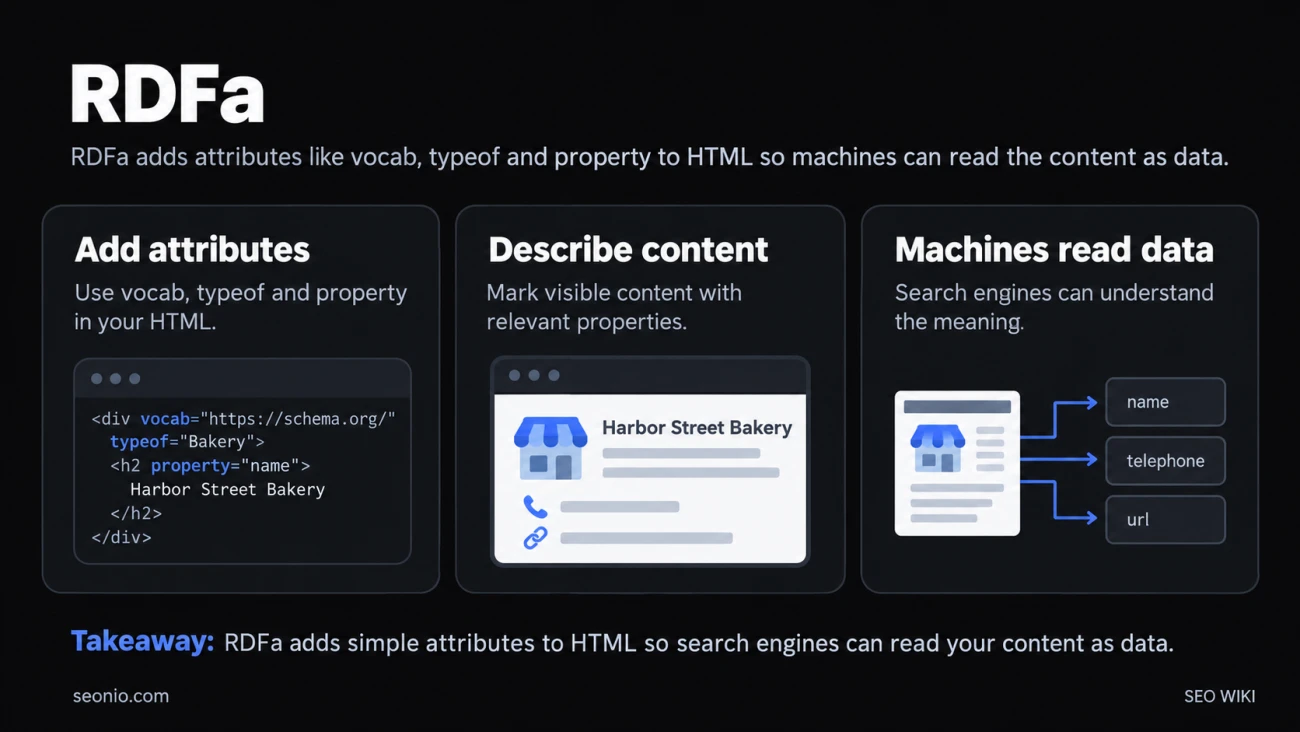
RDFa (Resource Description Framework in Attributes) is a W3C standard for adding machine-readable meaning to the content of a web page. You add a few extra attributes to the HTML you already have, and a search engine or other program can read, for example, that "Harbor Street Bakery" is a business name and "+1-555-0142" is its phone number.
The current versions are RDFa Core 1.1 and its simpler subset, RDFa Lite 1.1. Both became W3C Recommendations in their latest editions on March 17, 2015. W3C
RDFa is one of three formats for structured data, alongside JSON-LD and microdata.
How RDFa works
RDFa turns parts of your page into simple statements of fact. Each statement has three parts: a thing, a property of that thing, and a value. In RDF terms, that's subject, predicate and object.
Here's a bakery's contact block marked up with RDFa Lite and the schema.org vocabulary:
<div vocab="https://schema.org/" typeof="Bakery">
  <h2 property="name">Harbor Street Bakery</h2>
  <p>Call us on <span property="telephone">+1-555-0142</span>
  or visit <a property="url" href="https://example.com/">our website</a>.</p>
</div>
Visitors see an ordinary heading and paragraph. A machine reads three statements about one thing of type Bakery: its name is "Harbor Street Bakery", its telephone is "+1-555-0142", and its URL is https://example.com/.
RDFa Lite has five attributes, and the example uses three of them:
vocabsets the vocabulary, here schema.org, so you can write short terms likenameinstead of full web addresses.typeofsays what kind of thing this is: a Bakery, a Person, an Event.propertymarks an element as a property of that thing. The value is the element's text, or the link address for anhref.resourcegives the thing an identifier, so other pages can refer to the same bakery.prefixadds a short name for a second vocabulary, so you can mix terms from more than one.
RDFa Lite or full RDFa?
RDFa Lite covers most everyday markup. The W3C wrote it as an easy subset that works for about 80% of authors doing simple data markup. W3C
Full RDFa (RDFa Core) adds attributes for harder cases, such as about, rel, rev, datatype and content. The one you're most likely to want is content, which gives machines a value different from the visible text:
<span property="startDate" content="2027-04-12T18:00">April 12, 6 pm</span>
Readers see a friendly date; machines get a precise one. Because Lite is a strict subset, you can start with Lite and add full RDFa attributes later without rewriting anything.
RDFa, JSON-LD or microdata for SEO?
Google supports all three formats for rich results and says each is equally fine, as long as the markup is valid and follows the feature's documentation. It recommends JSON-LD for most sites because it's the easiest to implement and maintain. Google Search Central
| Your situation | Good choice |
|---|---|
| You're adding new markup, or a plugin or CMS writes it for you | JSON-LD |
| Your templates already use RDFa and it validates | Keep RDFa |
| You want each value tied to the visible text it describes | RDFa or microdata |
| You need terms from several vocabularies on one page | RDFa, with prefix |
You may already use RDFa without knowing it. The Open Graph tags that control how your pages look when shared on social media, such as <meta property="og:title" ...>, are based on RDFa.
Checking your markup
Whatever format you use, the rules for rich results are the same:
- Test it. Google's Rich Results Test reads RDFa as well as JSON-LD and microdata, and shows which rich results a page qualifies for.
- Mark up only what visitors can see. Google's guidelines don't allow markup for content that isn't on the page. RDFa makes this natural, because the attributes sit on the visible text.
- Expect no guarantees. Valid markup makes a page eligible for a rich result; Google decides whether to show one.