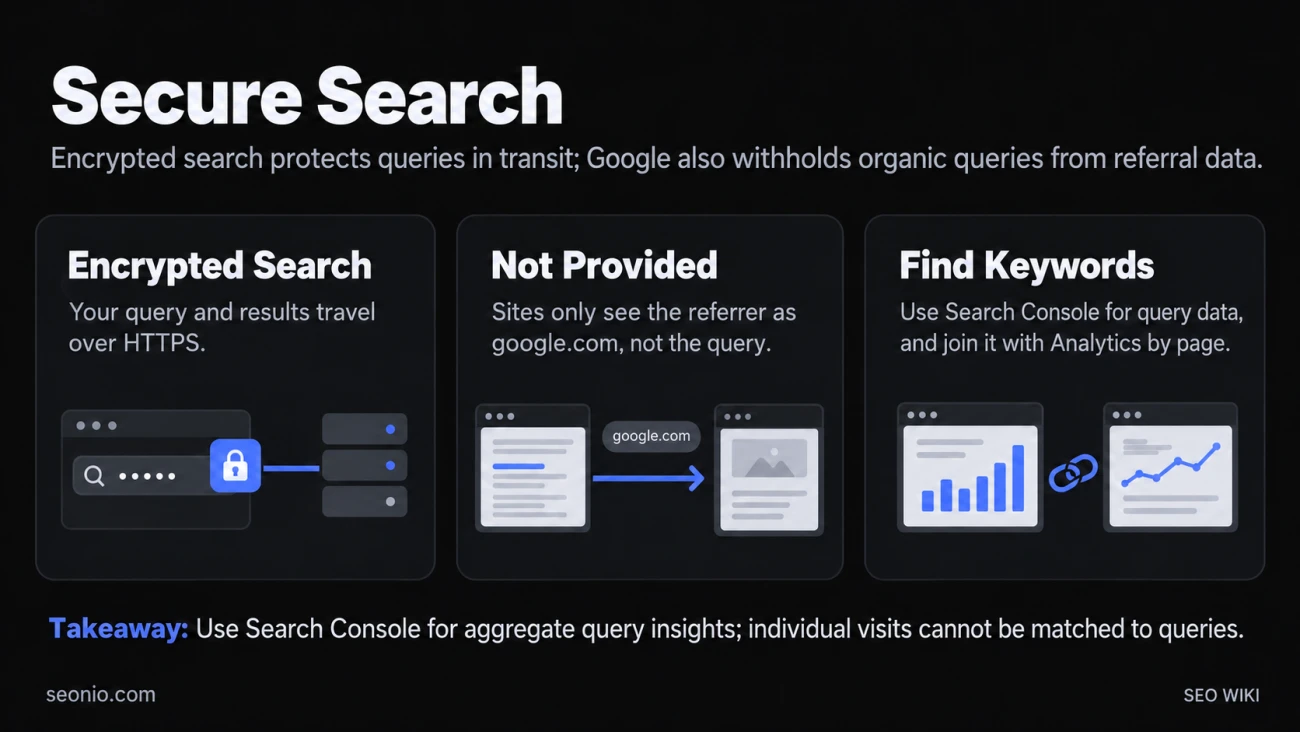
Secure search is the name people use for Google's move to encrypted search over HTTPS. Your query and the results page travel through an encrypted connection, so nobody else on the network can read them. Google made it the default for signed-in users in October 2011, and today it covers every search on Google.com and in the Google app.
For site owners, it had one big side effect: Google stopped passing the search query to the sites people click. That's why analytics tools show the keyword for Google organic visits as "(not provided)".
Why the keyword says "(not provided)"
When you click a link, your browser tells the next site where you came from, in the HTTP referrer. Before encryption, a click on a Google result passed both google.com and the query. On encrypted search, the site only learns that the visit came from google.com (Google Search Central Blog).
So Google Analytics still counts the visit as Google organic traffic. It just has no search term to show. Google's help says that because most Google searches run over HTTPS, the keyword is set to "(not provided)" (Analytics Help).
This isn't a tracking bug, and no setting in your analytics fixes it.
| Unencrypted search (before 2011) | Encrypted search (today) | |
|---|---|---|
| What your site receives | google.com and the query | google.com only |
| Keyword in analytics | Shown | "(not provided)" |
| Where to see organic queries | Analytics keyword reports | Search Console |
How Google got here
- May 2010: Google opened a separate encrypted search service at encrypted.google.com.
- October 18, 2011: Google began sending signed-in users to https://www.google.com by default. It pointed to public Wi-Fi as a place where this matters. Clicks on ads still passed the query so advertisers could measure campaigns (Google Official Blog).
- 2012: Firefox (July) and Safari (September) switched to encrypted connections for all Google searches.
- January 2013: Google announced that Chrome 25 would also encrypt address-bar searches for people who aren't signed in (Chromium Blog).
- Today: Google says all searches on Google.com and in the Google app are encrypted by default.
Where to find your keyword data now
The query data moved to Google's own tool for site owners, now Google Search Console. Its Performance report lists the queries that brought people to your site from Google Search, with clicks, impressions, click-through rate and average position for each.
Three things to know when you use it:
- Rare queries never appear as rows. Google leaves out "anonymized queries", ones not searched by more than a few dozen people over two to three months. They still count in the chart totals, so your exported rows add up to less than the total. They also drop out whenever you filter by query (Google Search Central Blog).
- You can see queries inside Analytics. Link Search Console to Google Analytics to get a Google Organic Search Queries report. Search Console keeps 16 months of data, so that report goes back no further.
- It only covers searches where you already show up. For topics you don't rank for yet, use a keyword research tool's search volume estimates.
Working without the keyword in analytics
Since you can't see the query per visit, join the two tools by landing page. In analytics, group Google organic sessions by landing page to see what those visitors do and whether they convert. In Search Console, filter the Performance report by the same page to see which queries earn its clicks. Together you get most of what the old keyword report gave you.
When you compare numbers, compare filtered views with each other, not with the unfiltered total, because of the anonymized queries.
Google's encryption protects the search itself. Once a visitor clicks through, your own site needs HTTPS with a valid TLS certificate to protect them.
"Secure Search" in your browser is something else
"Secure Search" is also the name of unwanted software that changes your browser's search engine or homepage without asking. It has nothing to do with Google's encrypted search. If your search engine keeps changing on its own, Google treats that as a sign of unwanted software: reset Chrome's settings and remove extensions you don't trust (Chrome Help).