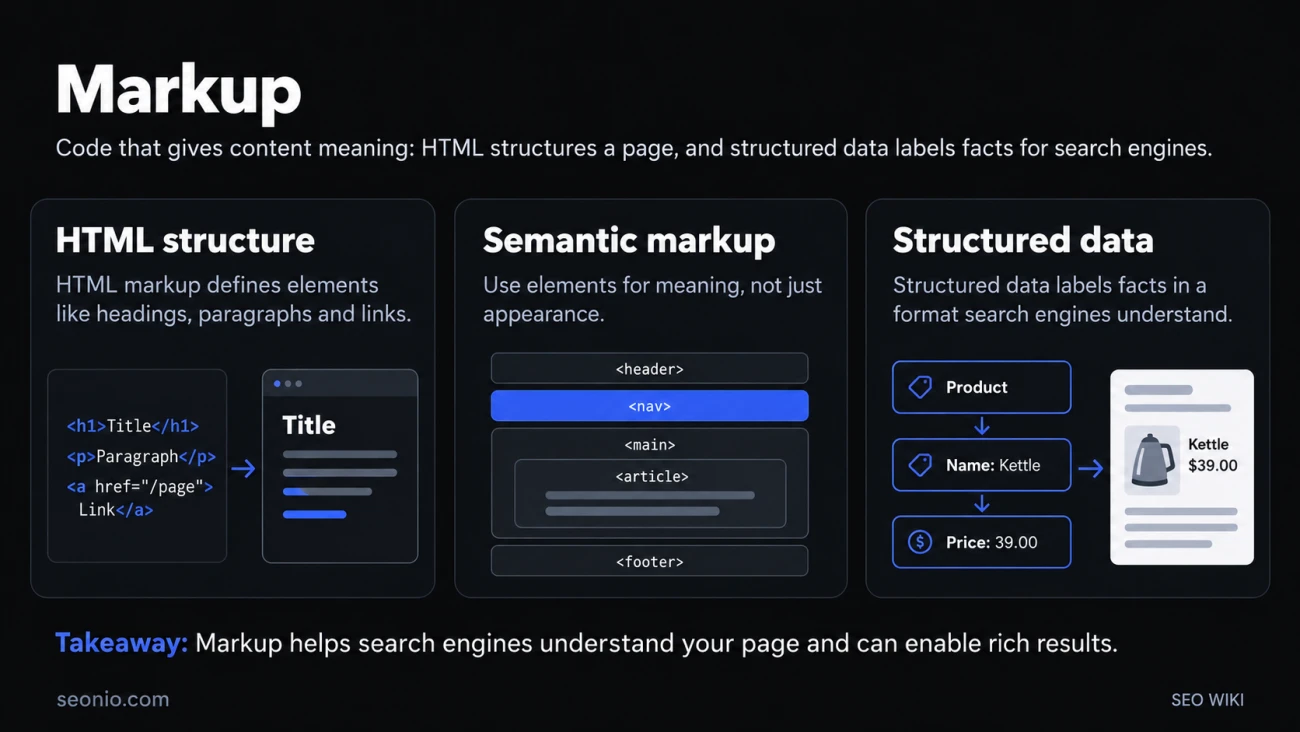
A browser or a search engine never sees a page the way you do. It reads code, and markup is the part of that code that says what each piece of content is. On most pages it comes in two layers. HTML markup gives the page its structure: this is a heading, this is a paragraph, this is a link. Structured data markup labels facts on the page, such as a product's price or a recipe's cooking time, in a vocabulary search engines understand.
(In retail, "markup" means the amount added to a product's cost to set its price. That's a different word; this article is about web pages.)
HTML markup: the structure
HTML stands for HyperText Markup Language. Its elements "enclose, wrap, or mark up" parts of the content so they appear or behave a certain way (MDN). An element usually has an opening tag, the content and a closing tag, and attributes add information that isn't part of the content:
<h1>Cold brew coffee ratio</h1>
<p>Use 1 part coffee to 8 parts water.</p>
<a href="/cold-brew-recipe">See the full recipe</a>
For SEO, the parts of HTML that matter most are the <title> element, the meta description and other meta tags, headings, links with clear anchor text, alt text on images, and the canonical and robots tags in the <head>.
Semantic markup: say what it is, not how it looks
Semantic markup means picking each element for what the content is. How it looks is CSS's job. MDN's example: a <span> styled to look big is still not a heading, while an <h1> tells browsers, screen readers and search engines that the text is the page's top-level heading (MDN).
In practice, semantic HTML looks like this:
- One clear
<h1>, then<h2>and<h3>in order. <nav>,<main>,<article>and<footer>for the regions of the page, instead of anonymous<div>s.- Real
<a href>links for navigation and real<button>elements for actions. <ul>or<ol>for lists,<table>for tables of data.
The same choices help people who use screen readers, which is why semantic markup is also an accessibility basic.
Structured data markup: labeled facts
Structured data describes what a page is about in a fixed format, so a search engine doesn't have to guess which number is the price and which name is the author. Most of it uses the schema.org vocabulary, which Google, Microsoft, Yahoo and Yandex founded so that sites could describe products, articles, events and organizations in one shared way (Schema.org). People often call this schema markup.
There are three formats. Google says all three are equally fine as long as the markup is valid, and recommends JSON-LD where your setup allows it (Google Search Central).
| Format | Where it goes | Good to know |
|---|---|---|
| JSON-LD | A separate <script type="application/ld+json"> block |
Kept apart from the visible HTML, so it's easy to add or generate |
| Microdata | Attributes on visible elements (itemscope, itemtype, itemprop) |
Ties each value to the text it describes |
| RDFa | Attributes such as vocab, typeof and property |
Found in some CMSs and linked-data setups |
A product in JSON-LD:
<script type="application/ld+json">
{
  "@context": "https://schema.org",
  "@type": "Product",
  "name": "Steel Pour-Over Kettle",
  "offers": {
    "@type": "Offer",
    "price": "39.00",
    "priceCurrency": "USD"
  }
}
</script>
The same product in microdata, with the attributes on the visible text:
<div itemscope itemtype="https://schema.org/Product">
  <h1 itemprop="name">Steel Pour-Over Kettle</h1>
  <div itemprop="offers" itemscope itemtype="https://schema.org/Offer">
    <span itemprop="price" content="39.00">$39</span>
    <meta itemprop="priceCurrency" content="USD">
  </div>
</div>
If you use a CMS such as WordPress or Shopify, you often don't write this by hand: a setting or plugin adds it for you.
What search engines do with markup
HTML markup tells a crawler what the page says and how it's organized. Structured data adds labeled facts on top. Google uses those facts to understand the page and, for supported types, to show it as a rich result with extras such as review stars, prices or cooking times.
Google's documentation presents structured data as a way to understand the page and to qualify for those richer results, not as a promise: even valid markup doesn't guarantee a rich result. Its rules are strict (Google Search Central):
- Mark up only content that visitors can see on the page.
- Don't use structured data to mislead, for example with fake reviews.
- Spammy markup can lead to a manual action, and the page loses its eligibility for rich results.
How to check your markup
Check both layers. For HTML, make sure the title, meta description, headings and links are there and in a sensible order; an HTML validator catches broken tags. For structured data, Google's Rich Results Test shows which Google rich results a page can get, and the Schema Markup Validator checks any schema.org markup without Google's extra rules (Google Search Central).